How it works진행 방식
5 weeks from coaching to ownership, with one dedicated manager all the way.코칭부터 플랫폼 오너십까지 5주,
전담 매니저 한 명이 처음부터 끝까지 함께해요.
Diagnosis & team coaching운영 진단 · 팀 코칭
Interviews, workflow review, a team work playbook, each member’s strengths and style with a personal report인터뷰 · 업무 흐름 점검, 팀 워크 플레이북, 팀원별 강점 · 성향 분석과 개인 리포트
Way-of-working coaching일하는 방식 코칭
Split work, track progress, report flow, then design the screens업무 나누기 · 진행 관리 · 보고 흐름 정리 후 화면 설계
Build제작
Built inside your own accounts고객사 계정 안에서 제작
Pilot & follow-up coaching시험 운영 · 후속 코칭
Real work on the platform, coaching on what sticks실제 업무로 쓰면서, 자리 잡을 때까지 코칭
Ownership오너십 이전
Training, then full ownership is yours교육 후 모든 권한을 고객사로
While designing the screens together, we map each person’s strengths and working style (with an individual report for each), then coach how to split work, track progress and report, so each person sorts out their own work and the team pulls together.화면을 함께 설계하면서 팀원별 강점 · 성향 분석과 개인 리포트부터, 업무 나누기 · 진행 관리 · 보고 흐름까지 코칭해요. 각자 하는 일이 정리되고 팀워크도 함께 다져져요.
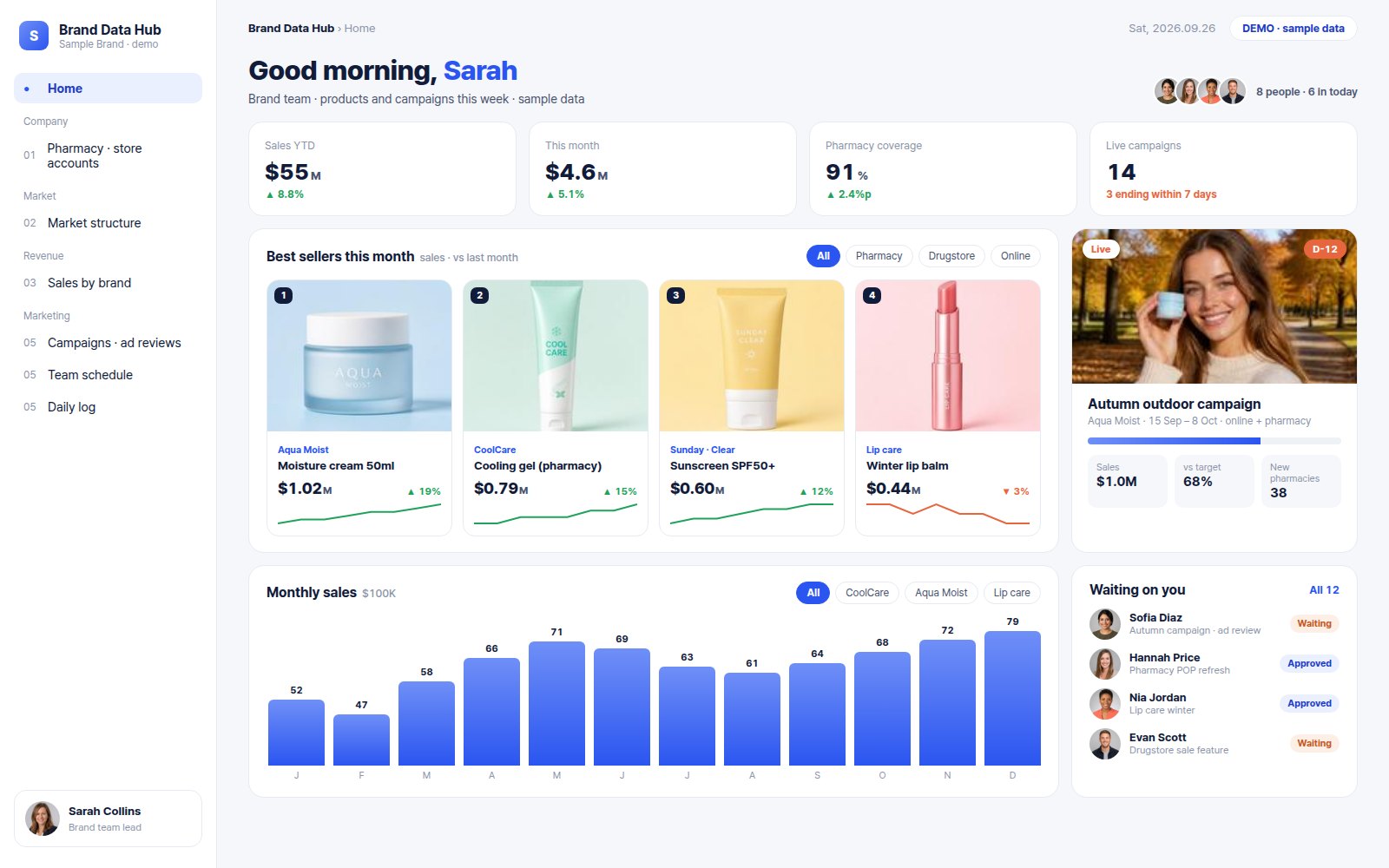
From your requests to your platform요청이 우리 팀 플랫폼이 되기까지
What happens in weeks 1 to 4, in one picture.1주차부터 3~4주차까지, 한 장으로 보면 이래요.
- 1"Warn me two weeks before a campaign ends.""캠페인 끝나기 2주 전에 미리 알고 싶어요."
- 2"This month's sales by brand, at a glance.""브랜드별 이번 달 매출만 한눈에 보고 싶어요."
- 3"What the team is waiting on me for, today.""오늘 제가 확인할 결재 · 심의만 모아 주세요."
 123
Bought a tool,
and the team still works in spreadsheets?툴을 도입했는데,
결국 다시 엑셀로 돌아왔다면
Screens your team will want to open매일 열고 싶은 화면으로 디자인해요
Designed to fit your company, down to colour and layout.색과 배치까지 우리 회사에 맞춰요.
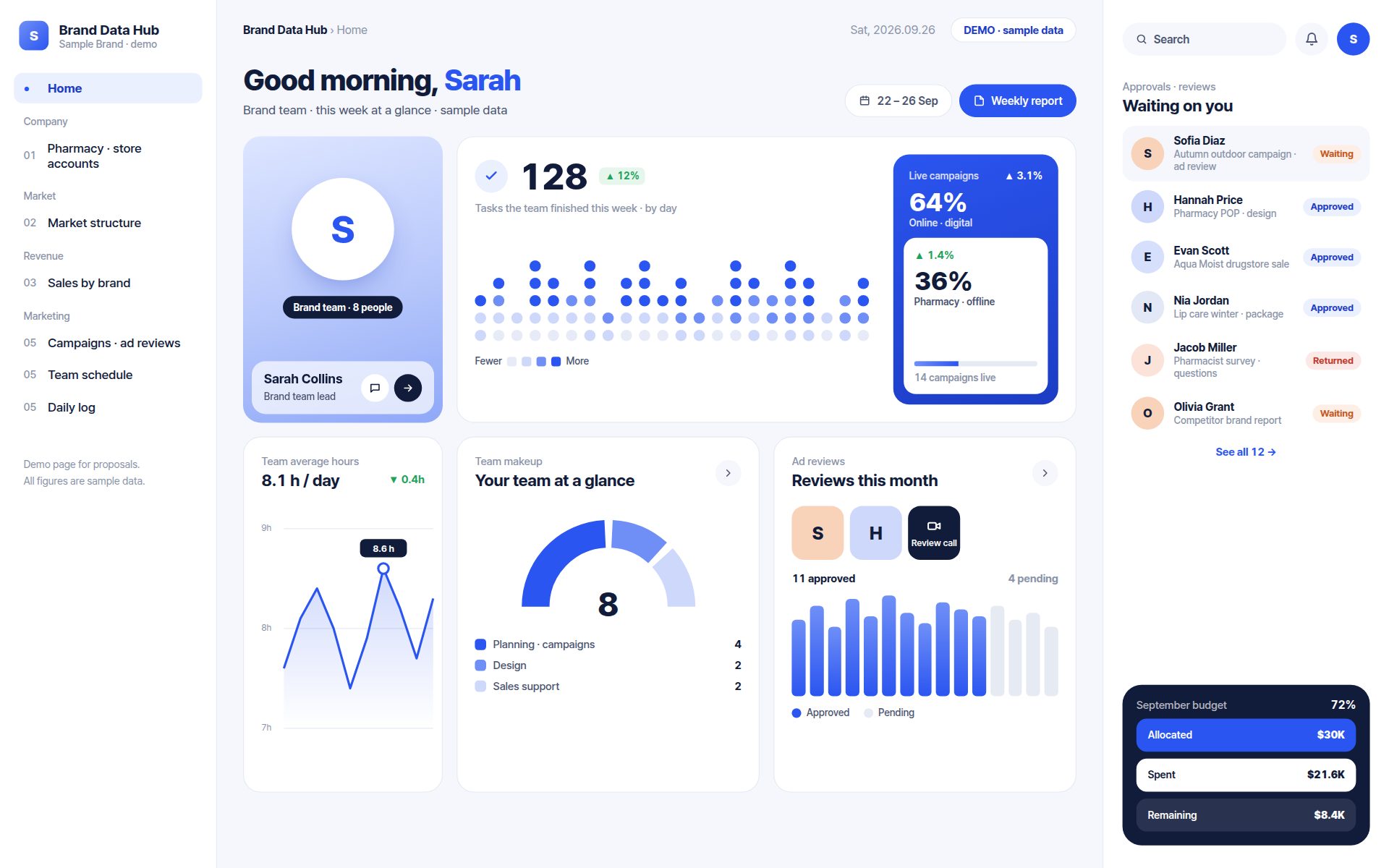
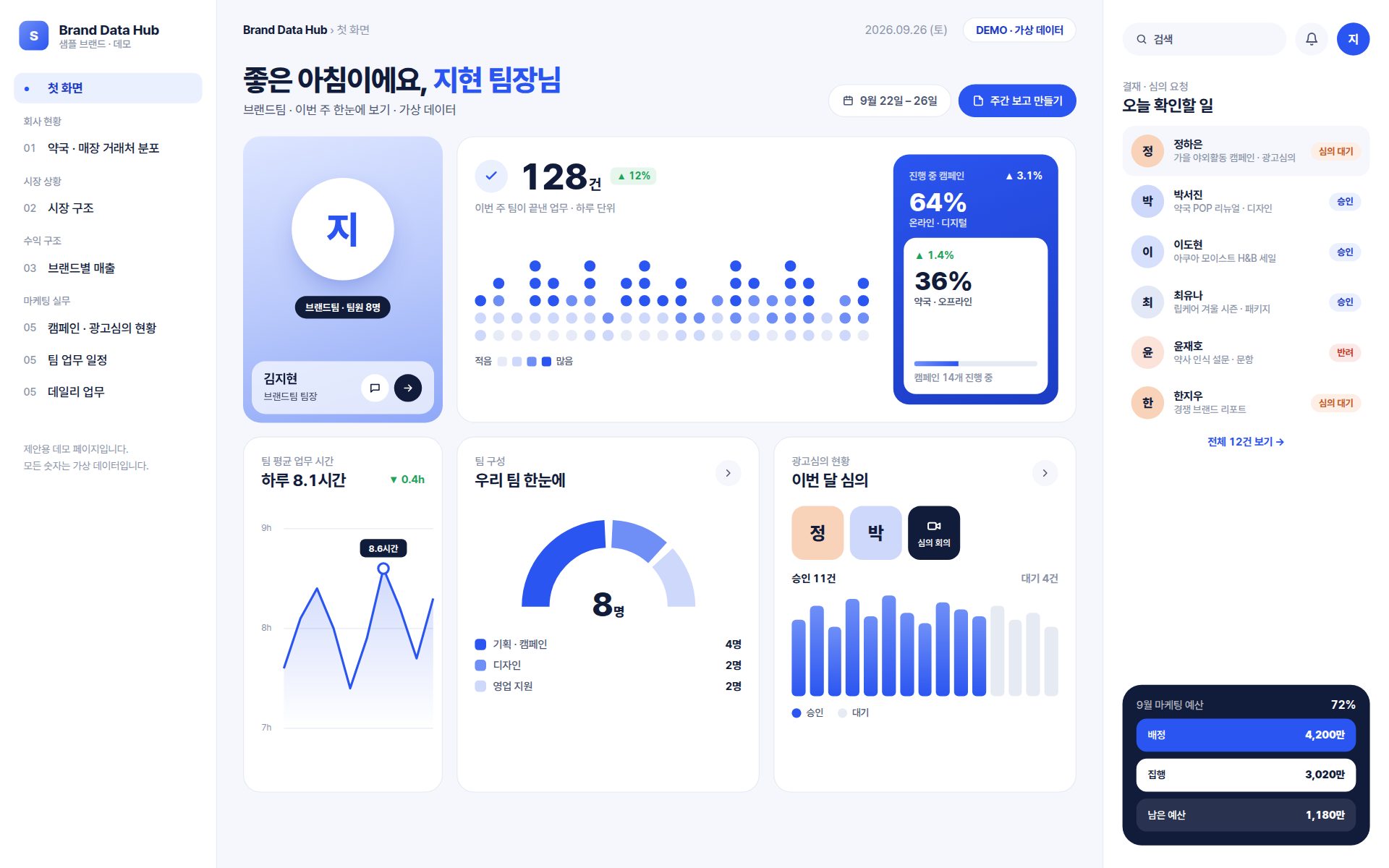
Your brand colours and logo회사 색 · 로고 그대로
The screens look like your company, not a template.템플릿 느낌 없이 우리 회사 분위기로 맞춰요.
A first screen for each role역할별 첫 화면
Team leads see their team; executives see the whole picture.팀장님은 팀을, 대표님은 회사 전체를 먼저 봐요.
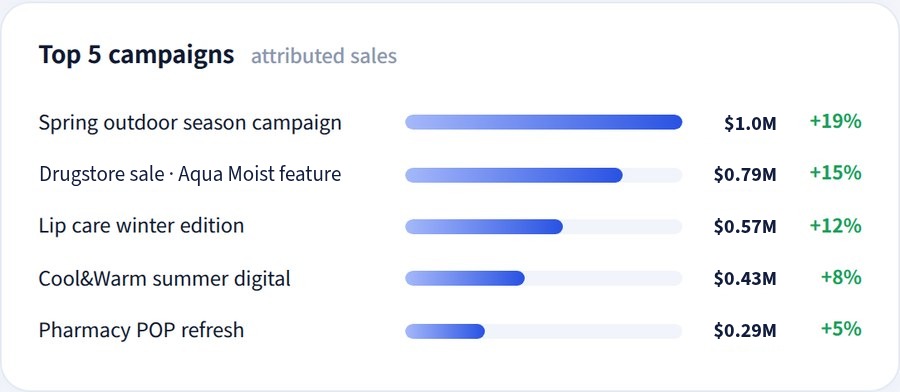
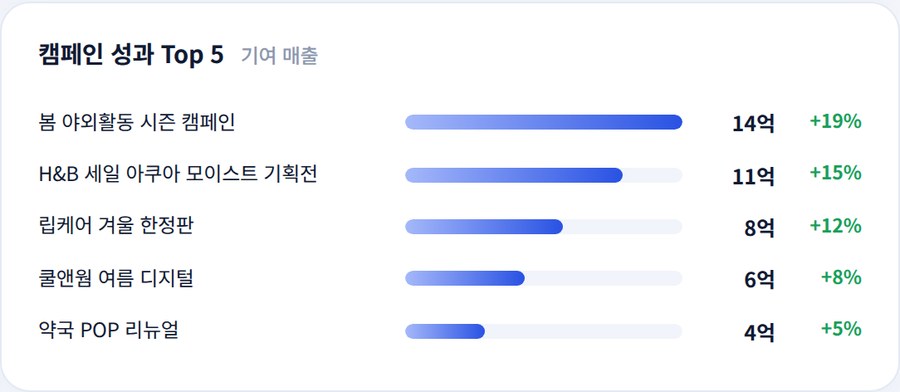
The numbers that matter, up front중요한 숫자는 크게
What you check every morning sits at the top.매일 아침 확인하는 숫자를 맨 위에 둬요.
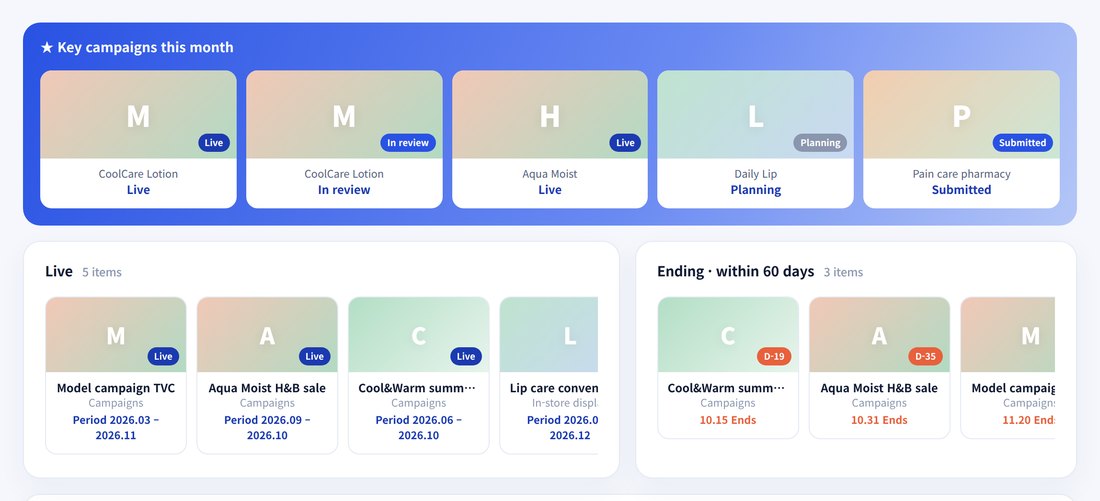
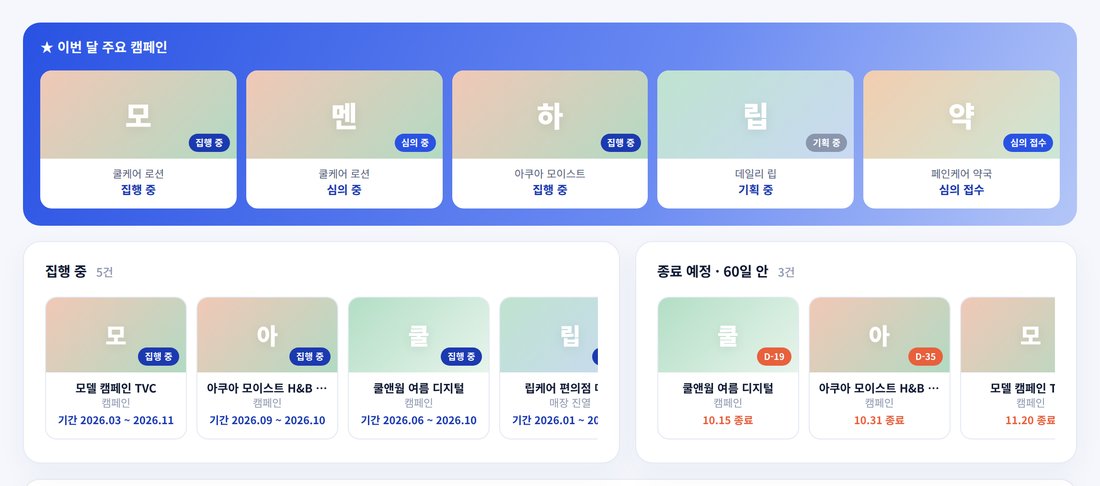
Campaigns and promotions, managed on the right dates캠페인 · 프로모션, 정확한 시점에 맞춰 관리
Every campaign in one place, on time.모든 캠페인을 한곳에서, 시점에 맞춰 관리해요.
- Organise정리Every campaign and promotion by brand and channel, in one place캠페인 · 프로모션을 브랜드 · 채널별로 한곳에
- Manage the timing시점 관리Start and end dates with D-day flags, so nothing overlaps or slips시작 · 종료일과 D-day로 겹치거나 놓치는 일정 없이
- Quick analysis간단 분석Sales and results by period, pulled into a table in one click기간별 매출 · 성과를 표로 바로 뽑기
Built in your own company accounts자료 제작은 우리 회사 계정에서
The site and its data are created in your company accounts from the start.사이트와 자료는 처음부터 회사 계정 안에 만들어요.
Your accounts from day one처음부터 우리 회사 계정
Site, sheets and apps are created and owned by your company.사이트 · 시트 · 앱을 회사 계정에서 만들고, 회사가 소유해요.
Company sign-in only회사 로그인으로만 열림
Only verified company accounts can open it.회사 계정 인증을 거친 사람만 열 수 있어요.
All access returned제작자 권한 전부 회수
At ownership transfer we remove every builder permission, confirmed in writing.오너십 이전 날 제작자 권한을 모두 빼고, 확인서로 마무리해요.
- Access through company sign-in only회사 계정 로그인으로만 접근
- External link sharing restricted외부 링크 공유 제한 설정
- NDA in every contract계약서에 비밀유지 조항
- Security checklist for your IT teamIT 부서용 보안 점검표 제공
Questions자주 묻는 질문
Can it follow our own approval line and terms?우리 회사만의 결재 방식 · 용어도 되나요?
Yes. We build in your approval line, titles and terms.네. 결재선 · 직급 · 용어를 그대로 반영해요.
How do we pay?결제는 어떻게 하나요?
Card or bank transfer. Transfer is recommended for the build fee.카드나 계좌이체 모두 돼요. 제작비는 계좌이체를 권장해요.
We use Microsoft, not Google.구글이 아니라 마이크로소프트를 써요.
We build around the tools your company already uses.회사가 쓰는 도구에 맞춰 만들어요.
Can we add screens later?나중에 화면을 더 넣을 수 있나요?
Yes. Add menus and fields yourself; new screens are quoted separately.네. 메뉴 · 칸은 직접 추가하고, 새 화면은 따로 견적을 드려요.
Do you keep our data?제작자가 우리 자료를 갖고 있나요?
No. Your data stays in your accounts, and our access ends at handover.아니요. 자료는 회사 계정에 있고, 권한은 이전 때 모두 회수해요.
Ready to start with a call?상담부터 시작해 볼까요?
A 30-minute call on what worries you most, deducted from the diagnosis.30분 상담으로 가장 고민인 부분부터 진단해요. 상담비는 진단비에서 빼 드려요.